
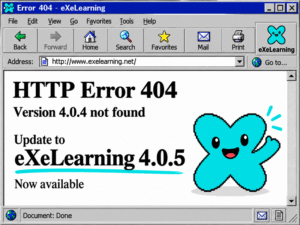
Since the publication of version 4.0.1, eXeLearning has continued to evolve with three new updates (4.0.2, 4.0.3 and 4.0.5) that strengthen the tool’s stability, accessibility and editing experience. Along the way, version 4.0.4 was left behind, prepared but never published as such (its own number, it must be said, did not help much), so the jump goes directly to the current version, 4.0.5, which incorporates a broad set of new features, improvements and fixes that are worth reviewing for those who already work with eXeLearning in the creation of their open educational resources.
Below is a summary of the main new features available since 4.0.1, organised by areas of the tool.
New icon catalogue for iDevices
One of the most visible improvements affects the presentation of iDevices within the work area: it is now possible to choose between the icons of the active style and a new general icon catalogue based on Google’s Material Icons. The styles included in eXeLearning have been updated to support both catalogues, which expands the possibilities for visual customisation of resources.
Along the same lines of visual coherence, the names of the icons have been revised so that, except for the Universal style, all included styles share the same set of identifiers.
Renewed mathematical formula editor
The formula editor has received an important revision: full-screen and configuration controls have been added, the menu has been reorganised and its texts have been updated. An accessibility problem has also been resolved whereby formula previews were not correctly announced in screen readers, which now receive an adequate description instead of an unlabelled image.
In addition, the editor’s own menu no longer depends on external resources to load, so it works correctly also in desktop installations and in offline mode. A problem derived from mixing incompatible versions of MathJax has also been corrected, which additionally makes it possible to reduce the size of exports that include formulas.
Improvements in content editing
The Presentations (Slide) iDevice now incorporates undo and redo via keyboard, multiple object selection and more precise positioning with the keyboard. The GeoGebra iDevice now allows adjusting the width and height from the general configuration. The Mermaid diagram has also been revised, whose library now loads while the activity is being edited, avoiding delays when closing or saving the content.
The Link Validator has improved the reliability of its checks and no longer reports broken links in cases where the browser itself cannot verify them.
More robust import and export
- Activities with damaged files now preserve their original content instead of being emptied, and the user is warned of the detected problem.
- The “files not found” warning when importing no longer includes references that only existed in outdated copies of HTML-type activities, such as Map, Cards or Multimedia file selection.
- True/False activities imported from eXeLearning 2.x now use the project language instead of always being displayed in English.
- The Source file download iDevice generates complete .elpx packages, which can be reopened and edited.
- Subtitles can be uploaded in .srt format, which is automatically converted to WebVTT for correct display in the preview and in the exported content.
- Error 153 has been fixed, which prevented the playback of embedded YouTube and Vimeo videos in the exported content.
- The preview of PDF files embedded in the Text iDevice works correctly in Docker and static deployments, and timeouts caused by outdated preview processes after an update have been corrected.
Work area and page management
The editing mode of iDevices now expands to occupy the entire work area, always keeping the toolbar visible and preventing the page from scrolling in the background while editing. Page titles can now be renamed directly from the workspace itself, without the need to open a separate dialogue box. The Mermaid diagram also incorporates a configurable maximum width and height.
The confirmation box for unsaved changes when creating a new project (File → New) has been revised with clearer text and more understandable action labels, and the desktop version incorporates a new File → Close option.
Learning tracking on LMS platforms
Exported packages now generate xAPI statements, which allows tracking of activity both on LMS platforms and through direct sending to an LRS (Learning Record Store), expanding the options for tracking student progress beyond the SCORM format.
Authentication
When using OpenID Connect authentication, the endpoints are now automatically detected from the configured issuer (OIDC_ISSUER), without the need to define them one by one.
Security
Numerous security improvements have been incorporated: reinforcement of path validation, authentication, protection against SSRF requests, content sanitisation against XSS attacks, data persistence and system resource limits. Protections against file deletion between different projects and against unauthorised file uploads have also been reinforced, and the handling of exported file names has been improved when the project title contains non-Latin characters.
Collaborative work
The autosave status indicator has been improved and the delay with which changes are saved during collaborative editing has been reduced, thus speeding up joint work on the same project. Various synchronisation problems have also been corrected: changes shared via Yjs are saved correctly, shared resources are identified consistently, avoiding the loss of images, a data loss that occurred when changing days during a collaborative session has been solved, shared projects are no longer deleted during session cleanup, and the File Manager preserves the active selection when a remote change updates the resource list.
New iDevice and expansion of the LOMLOE catalogue
The new Attached files iDevice is incorporated, which allows adding one or several files to a project page. The LOMLOE Curricular Concretion iDevice expands its territorial coverage with the official data sets of Euskadi / Basque Country, Navarra and the Valencian Community (those corresponding to Galicia and Extremadura remain temporarily deactivated pending their confirmation), and several presentation problems have been corrected: the contrast of table headers on hover, the operational descriptors at competence level and the adjacent PDF sections within this same iDevice.
Stability and bug fixes
This update includes a large number of fixes affecting different iDevices and the work area in general: cell editing in the Rubric iDevice, content preservation in Game-type iDevices in the event of interrupted or invalid saves, saving cards with audio only in the Classification iDevice, the cursor position in the Presentations iDevice, the editing of iDevices when sharing blocks with videos or other large content, and the behaviour of the Insert button in the File Manager, among others.
Several problems specific to certain iDevices have also been corrected: in the Electrical and Electronic Circuits iDevice, the rendering of Ω and other Greek and mathematical symbols has been fixed, and its translations have been revised; in the Magnifier iDevice, the path of images in exports has been corrected; the 3DMol iDevice now accepts molecule files from the File Manager and the viewer, and its insertion menu is no longer hidden behind the 3D viewer; and the 3D Viewer iDevice fixes a problem with the display of models in the exported content. The contrast of the iDevice icon selector has also been improved in all styles, and the Nova style now highlights iDevices marked as teacher-only with a yellow border.
As for the Style Manager, the styles included in .elpx projects can now be downloaded from the manager itself. The warning shown when changing language in static or offline mode has been revised to accurately describe the necessary steps before reloading the application.
In the desktop version, an unexpected shutdown at startup caused by a missing internal module has been solved, the duplication of the save dialogue when downloading PDF files generated from HTML content has been corrected, and it is now possible to import .elpx projects that include large files, such as long videos. The footer of exported content has also been revised, which is now hidden by default when it contains neither information nor a licence.
Finally, various aspects of export have been corrected: resources without a file extension are now served with the correct MIME type, avoiding unwanted PDF downloads; the dialogue box for sharing allows correct scrolling through the list of people with access; the CSV download of the Link Validator and the Resource Report works again; the structure properties of an iDevice are preserved when exporting and reimporting the content of a single box; internal links between pages are maintained after exporting and importing a project again; LaTeX formulas are displayed correctly in interactive iDevices and are well aligned with the surrounding text; the licence footer no longer inherits the general typography of the content; the accessibility bar is now included in IMS, SCORM and EPUB exports; and duplicate resources are eliminated in self-contained HTML exports.
Translations and documentation
The Spanish translation has been revised and completed, and mismatches detected in the German translation affecting the labels of the True/False iDevice and the delimiters of the formula editor have been corrected. The documentation of the styles and the list of third-party libraries used by the project have also been updated.
Technical updates
As part of the usual maintenance of the project, several internal dependencies used in the server, in the desktop application and in the build tools have been updated, including Electron, esbuild, ioredis, jsdom, pdfjs-dist and TypeScript, contributing to the security and general performance of the application.
A tool that continues to mature
With these updates, eXeLearning consolidates the path begun with the 4.x series: a more accessible, more stable tool with an increasingly careful editor for the creation of open educational resources. As always, the community is recommended to update to the latest available version to benefit from all these improvements.